

### Blog Post:
AI pet feeder technology is quietly reshaping how busy pet owners care for their animals—offering precise, automated feeding, app control, health tracking, and even cameras for real-time updates. Are these fancy features truly reliable, and how do modern feeders stack up against real-world challenges? Let’s cut through the hype and break down what matters for anyone considering an AI pet feeder in 2024.
Key Takeaways
- AI pet feeder market is booming, with significant growth in North America and rapid adoption of Wi-Fi-enabled models.
- Common frustrations include battery life issues and high costs; security and true accuracy remain overlooked risks.
- Actionable setup, maintenance, and security steps help users get real value—while avoiding common pitfalls.
- The Core Concept: What Is an AI Pet Feeder?
- Step-by-Step Guide: Getting the Most from Your AI Pet Feeder
- Advanced Analysis & Common Pitfalls
- Conclusion
- FAQ Section
The Core Concept: What Is an AI Pet Feeder?
AI pet feeders are internet-connected, programmable food dispensers for cats and dogs that use artificial intelligence and smart sensors to automate portion control, schedule feeding, and monitor pet health—all accessible via mobile apps. Many models now include cameras, voice control, and integration with smart home assistants like Alexa.

The rise of the AI pet feeder isn’t just a trend. The global smart pet feeder market hit USD 1.46 billion in 2024 and is expected to soar to USD 2.35 billion by 2030 (source). North America, especially the US, leads the charge—a reflection of busy routines, digitized pet care, and a growing emphasis on healthy, controlled feeding. Wi-Fi-connected feeders are the fastest-growing segment due to their remote monitoring and app-driven precision.
For pet owners balancing demanding schedules, the benefits are obvious: no more rushing home for meal times, easy tracking of dietary needs, and real-time pet check-ins—sometimes with two-way audio and night vision. But as with most high-tech gear, there’s a lot to weigh before buying one.
Step-by-Step Guide: Getting the Most from Your AI Pet Feeder
Buying an AI pet feeder isn’t enough—you need the right setup, regular checks, and a bit of troubleshooting savvy to make it part of seamless pet care. Here’s how:
-
Unboxing and Initial Setup
Remove all packaging. Wash the food container, bowl, and any removable parts before use. -
App Installation & Wi-Fi Connection
Download the feeder’s official app and follow the step-by-step pairing instructions. Don’t connect it to a public or unsecured network. Most feeders require 2.4GHz Wi-Fi. -
Portion Control Calibration
Use your pet’s actual diet as a basis—check food type compatibility and use a kitchen scale to test several feeding cycles. Update the app to match actual weight if your device allows manual calibration. -
Feeding Schedule
Set customized meal times and portion sizes via the app. For dogs, space out meals to avoid bolting food; for cats, consider more frequent, smaller portions. For tips on creating a pet-friendly environment, check out pet friendly home ideas. -
Camera and Remote Monitoring
Test live video, motion alerts, and any two-way audio features. Place the feeder in a room with good lighting and minimal clutter. Monitor alerts for a few days to understand normal pet behavior. -
Maintenance & Cleaning
Wipe sensors and clean bowls weekly. Avoid wet food unless specified by the manufacturer, as it can jam most feeders and cause mold. -
Check Battery and Backup
Many AI feeders need frequent battery changes due to app and camera use. Keep an eye on battery indicators and always have spares. -
Monitor, Adjust, and Review
Regularly check in on food levels, feeding logs, and any changes in your pet’s weight. Adjust scheduling as your pet’s needs or routines change.
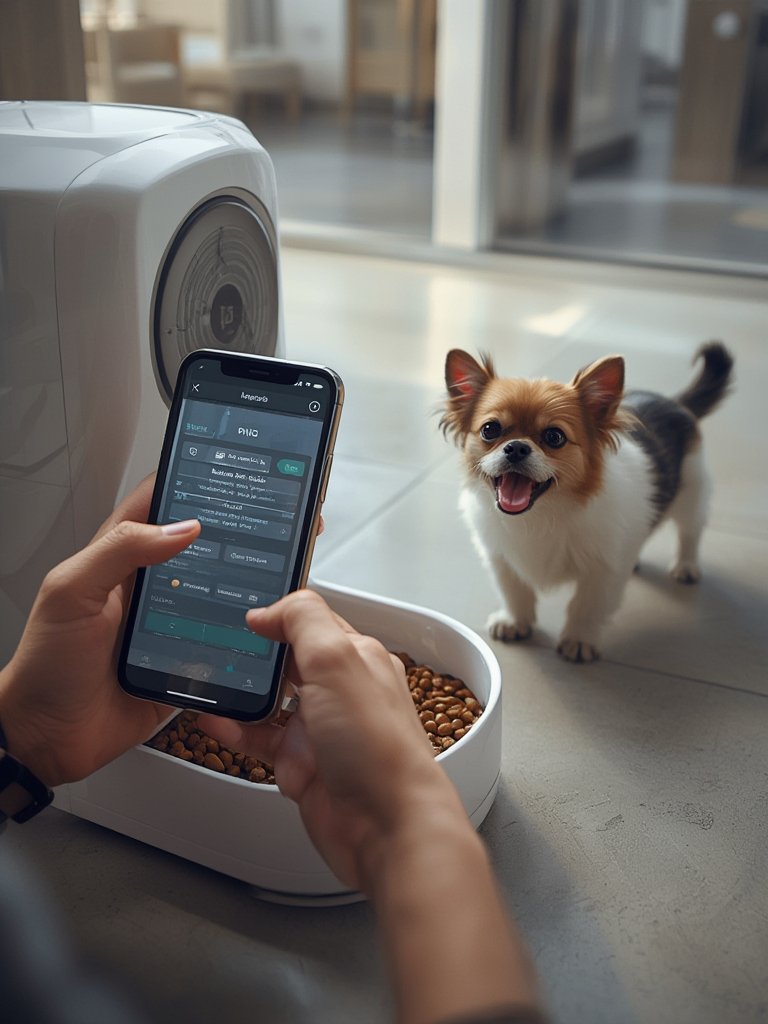
If you’re keen on blending technology with stylish living, see more functional home decor ideas that work for pet owners.
For outdoor pet and garden synergy, check out effortless garden ideas.
The steps above address the common setup gaps that lead to malfunctions or pet stress, so investing just an extra hour or two after arrival pays off for months to come.
Advanced Analysis & Common Pitfalls
For all their promise, AI pet feeders bring their own set of issues—some widely reported, others overlooked in glowing product pitches and most reviews.
| Feature | Strength | Potential Pitfall |
|---|---|---|
| Portion Control | AI-driven, adjustable, can prevent overfeeding | No published error-rate data; may mis-measure for certain kibble sizes |
| Wi-Fi/App Control | Remote scheduling, notifications, active monitoring | App glitches, connectivity drops, delayed alerts |
| Camera Integration | Watch and communicate with pets; home security bonus | High battery use; cloud video may raise privacy risk |
| Power Source | Plugs in or runs on batteries for flexibility | Smart features rapidly drain batteries |
| Multi-Pet Support | Some support via biometric ID, multi-bowl options | Still primitive for true diet customization or pet separation |
| Security | Password-protected apps and basic encryption (varies by brand) | No data published on breach incidents or camera hacking prevention |
| Price/Costs | No ongoing subscriptions required (most models) | Upfront price is high; complex features increase maintenance demands |
| Pet Acceptance | Eases routine and meal stress for many pets | Some pets fear new sounds or mechanical motion |
Common Pitfalls to Watch For:
- Low Battery Life: App, sensors, and camera activity drain batteries fast. Plug-in is more stable but limits placement.
- No Security Transparency: No independent studies or reports confirm how well your data and video are protected. User privacy concerns remain unaddressed in industry reports (source).
- Portion Accuracy: While manufacturers promise precise calibration, there is no published error-rate data or independent validation for portion control across pet sizes or food types.
- Technical Issues: App crashes, firmware bugs, and dropped connections are cited as common but are insufficiently reported in market research.
- Pet Acceptance and Stress: Some cats or dogs may take days or weeks to eat from a new automatic feeder—or reject it entirely.
- Cleaning Hassles: Crammed spaces, food dust, and tricky corners can make cleaning tough, encouraging pest problems or pet illness if neglected.
To minimize issues, keep your feeder’s firmware updated and periodically reset your Wi-Fi password. For pet homes aiming at style and durability, see easy pet-friendly home tricks that integrate with smart devices. If you’re looking to add a high-tech touch to your kitchen too, explore kitchen ideas for daily efficiency.

Conclusion
AI pet feeder technology is getting smarter and more accessible, with robust market growth in 2024 and features catering to demanding modern lifestyles. Portion control, remote video, and health monitoring offer huge convenience, but common pitfalls—short battery life, technical complexity, uncertain data security, and pet adaptation—demand realistic expectations and active management. Do your homework, set up carefully, and monitor both your pet and feeder’s performance.
Ready to achieve stress-free pet care? Compare, calibrate, and control your AI pet feeder for a better, safer feeding routine—and enjoy peace of mind even when you’re away. Share your own AI pet feeder tips or questions in the comments below!
FAQ Section
How accurate are AI pet feeders at dispensing specific amounts of food?
Most AI pet feeders use sensors and algorithms to deliver measured portions, but no brands publish official error rates. For the most precise feedings, test actual food weights with a scale and re-calibrate when switching kibbles.
Are AI pet feeders safe when connected to Wi-Fi and smart home apps?
Basic security like app passwords are standard, but there is little transparency about data or video privacy. To increase safety, regularly update your feeder’s firmware and use a secure household Wi-Fi network.
What’s the price range for advanced AI pet feeders with cameras?
Exact prices vary by brand and features, but smart feeders with cameras and app integration tend to cost more than basic models. High upfront costs are common, but most skip subscription fees for app features.
Do smart feeders really work for multiple pets in one home?
Some advanced feeders have limited multi-pet features through biometric ID or separation, but feeding competition and mix-ups still happen. For multi-pet homes, supervise initial uses and consider feeders with individual microchip detection.
How do I clean and maintain my AI pet feeder?
Disassemble and rinse all removable food-contact parts weekly. Use a brush on tight spots, and avoid harsh chemicals. Check for firmware updates, clear old food dust, and keep power and sensors free of debris.
—